A Smart Guide to Cheap Poster Printing UK
Published on
Let's be honest, searching for "cheap poster printing uk" can feel like you're being forced to choose between a good price and a poster you're actually proud of. The good news? You don't have to compromise. Getting professional-looking posters without breaking the bank is completely doable once you know which decisions matter most. This guide will walk you through it.
Finding Your Sweet Spot Between Cost and Quality
When you need to print posters—whether for a business launch, a local gig, or a personal projec the goal is always the same: get the biggest impact for the smallest spend. A lot of people hear 'cheap' and immediately picture flimsy paper and washed-out colours.
But that’s not what cost-effective printing is about. It’s about being smart and efficient, not cutting corners. Think of it like packing a suitcase. You can't take your entire wardrobe, but by picking versatile outfits that suit your destination, you end up with everything you need without paying for excess baggage.
In the same way, affordable poster printing is all about understanding the main things that affect the final price. Once you get a handle on these, you're in control of the budget, making sure you only pay for the features that really count for what you need.
The Three Pillars of Poster Pricing
At its heart, your poster order's price tag comes down to a trade-off between three key things. Get these right, and you're already on your way to getting the best value.
-
Size: This one's straightforward. Bigger posters need more paper and more ink, which naturally costs more. Sticking to standard UK sizes like A3, A2, or A1 is almost always cheaper than a custom measurement.
-
Material: The type and thickness of the paper—measured in grams per square metre (gsm) plays a massive part in the cost. A lighter 130gsm paper is brilliant for temporary indoor notices, while a thicker 250gsm stock feels more premium and adds a lot of durability.
-
Quantity: Here’s where the biggest savings are found. Thanks to economies of scale, the price you pay for each individual poster plummets as your order size goes up. The initial setup costs get spread thin across more units, making bulk orders incredibly good value.
Getting your head around these fundamentals helps you build a custom order that fits your budget perfectly. It’s not about hunting for the absolute rock-bottom price; it’s about spending wisely on what matters and saving on what doesn't. For example, a poster for a one-day charity bake sale doesn't need the same heavy-duty paper as one that'll be in a shop window for months.
The key takeaway is simple: 'cheap poster printing' in the UK isn't about sacrificing quality. It's about strategic planning and knowing which levers to pull to reduce costs without diminishing the final product's impact.
By looking into things like different paper finishes or simply planning your order ahead of time, you can dial in your costs even further. A clear grasp of these ideas changes you from just a buyer into a savvy print manager. To see exactly how these choices affect pricing in real-time, you can explore a full range of professional poster printing services.
Decoding What Drives Poster Printing Costs
Ever wondered what actually goes into the price of your poster order? Getting your head around the main cost drivers is the key to mastering your budget and getting the best possible value. It’s the difference between just placing an order and strategically building one that fits your needs and your wallet.
The UK's commercial printing market is a massive £15 billion industry, and thanks to modern digital printing, services like poster printing have become cheaper and more accessible than ever. It's a great time to be a print buyer.
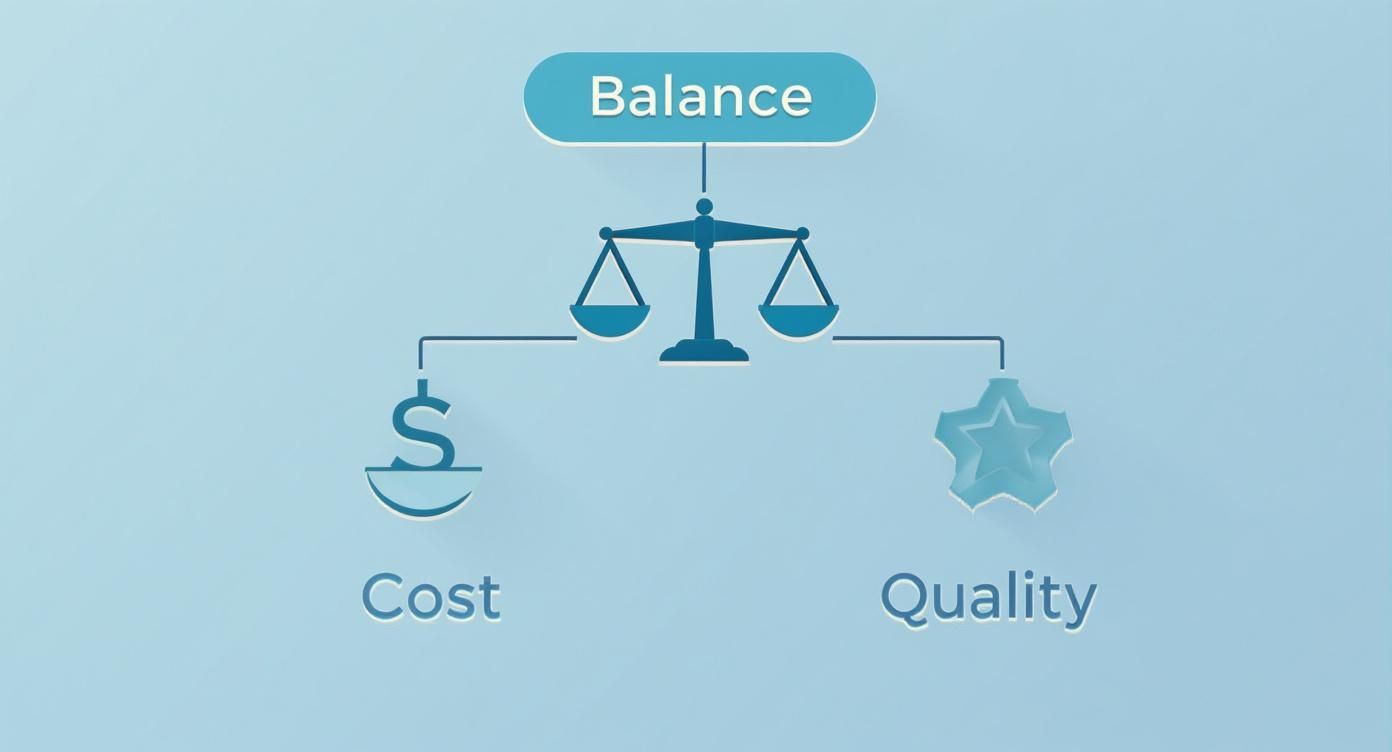
As you can see, finding cheap poster printing in the UK isn't about cutting corners. It's about making smart choices on the things that matter to keep quality high and costs low.
Paper Weight: The Foundation of Feel and Cost
One of the biggest factors in your final price is the paper’s weight, measured in Grams per Square Metre (GSM). Think of it like the fabric for a shirt. A thin, lightweight t-shirt is perfect for a casual summer day, but you’d want a thick, heavy jacket for a cold winter evening.
It's the same with posters. Different paper weights are built for different jobs:
- 130gsm - 170gsm: This is your lightweight "t-shirt" paper. It’s economical and brilliant for short-term indoor promotions, temporary signs for an event, or any posters you plan on swapping out regularly. A fantastic choice if you're looking for genuinely cheap poster printing for temporary use.
- 200gsm - 300gsm: Now we’re in sturdy "jacket" territory. This stock has a more substantial, premium feel and is much more durable. It's perfect for art prints, important business presentations, or any poster you want to last.
Choosing the right GSM is all about matching the paper’s feel and durability to how long your poster needs to be around. There’s no point paying for a heavyweight stock if it's only for a weekend event.
How Your Poster Choices Impact Your Final Cost
The decisions you make about size, paper, and finish all have a direct effect on your budget. This table breaks down how to balance your choices to get the best result for your money.
| Printing Factor | Budget-Friendly Option | Premium Option | Cost Impact | Best For |
|---|---|---|---|---|
| Size | Standard A-series (A3, A2) | Custom Dimensions | High | Stick to standard sizes for maximum savings. |
| Paper Weight | 130gsm–170gsm | 200gsm–300gsm | Medium | Lightweight for temporary use, heavyweight for durability. |
| Material | Standard Matt/Gloss | Laminated/Weatherproof | Medium | Lamination adds cost but protects against wear and tear. |
| Finish | Standard Matt | Gloss, Satin, or Lamination | Low | A simple finish keeps costs down; gloss adds visual pop. |
Ultimately, mixing and matching these options allows you to create a poster that is fit for purpose without overspending.
Size Matters, More Than You Might Think
It sounds obvious, but the size of your poster has a direct impact on the price – bigger posters simply use more paper and more ink. While custom sizes are an option, sticking to standard A-series sizes (A3, A2, A1, A0) is one of the easiest ways to keep your costs down.
Printers build their entire workflow around these standard dimensions, from stocking paper to setting up the machines. When you order a standard size, you’re tapping into a super-efficient process, and those savings get passed on to you. Ask for a custom size, and you often introduce manual cutting and more paper waste, which will add to the final bill.
Key Takeaway: For the most budget-friendly option, always start with a standard A-size. This one choice can slash your cost per poster before you even think about anything else.
The Power of Bulk Ordering
Here’s the single biggest secret to unlocking serious savings: volume. In the world of printing, economies of scale are everything. The initial setup of the press—the calibration, plate creation, and alignment—makes up a big chunk of the job's cost.
That setup fee is the same whether you print one poster or a thousand. When you order in bulk, that fixed cost gets spread across more units, causing the price per poster to plummet. For example, ordering 200 posters might make each one less than half the price of ordering just 20.
This is a game-changer for businesses and event organisers. If you know you'll need posters for several events or locations over the year, placing one large order instead of lots of small ones is a guaranteed way to cut your overall spending. And if your posters need to brave the British weather, our durable outdoor posters offer fantastic long-term value. By getting to grips with these core elements, you can confidently navigate any printer’s options to get the results you want at a price that makes perfect sense.
Choosing Smart Materials and Finishes for Your Budget
Diving into the world of paper and finishes can feel a bit much, but trust me, it’s one of the best places to save money without your posters looking cheap. This isn’t just about picking something that looks good; it’s about matching the material to the poster's specific job. Get this right, and you’ll end up with a professional result that’s perfectly aligned with your budget.
Think of it like choosing the right tool for a job. You wouldn't use a sledgehammer to hang a small picture frame. In the same way, paying for a premium, heavyweight paper for a poster that’s only needed for a 48-hour event is just burning money. The goal here is to be fit-for-purpose.
Understanding Paper Weight in Practical Terms
Paper weight, measured in grams per square metre (gsm), is the most direct clue to a poster's feel, durability, and, of course, its cost. Forget the technical specs for a moment and just think about what you need the poster to do. Higher gsm means thicker, more rigid paper, while lower gsm is lighter and more flexible.
Here’s a simple breakdown of the most common options for cheap poster printing in the UK:
- 130gsm Paper: This is a fantastic, wallet-friendly choice for short-term indoor use. It’s light, easy to pop up, and perfect for promotional flyers, temporary event notices, or posters in community halls.
- 170gsm Paper: A slight step up, this weight offers a bit more substance and stops light from showing through. It strikes a great balance between affordability and a quality feel, making it a brilliant all-rounder for everything from shop window displays to conference signage.
- 250gsm Paper: This is where you start getting into premium territory. The paper is noticeably thicker and more durable, giving your poster a proper high-end feel. It’s ideal for art prints, important business presentations, or any poster you want to really make an impression with.
The key is to avoid over-engineering your order. If your poster is for a weekend-long festival, 130gsm or 170gsm is more than enough and will save you a few quid. For posters that need to look good for months on end, investing in 250gsm is a smart move.
Silk vs. Gloss: The Great Finish Debate
Once you've settled on a paper weight, the next decision is the finish. This small choice has a surprisingly big impact on the final look and feel of your poster. The two most popular and budget-friendly options are Silk and Gloss, each with its own character.
A gloss finish is shiny and reflective, making colours pop with incredible vibrancy. This makes it a brilliant choice for posters with bold graphics or photos that need to grab attention from across the room, like a concert promotion or a new product launch. The only potential snag is glare; under direct spotlights or in bright sunshine, it can be a bit hard to read.
A silk finish, on the other hand, has a smooth, low-sheen surface that sits elegantly between matt and gloss. It gives colours a rich, deep quality without the high shine, lending a professional and sophisticated feel to any design. This makes it perfect for indoor art prints, corporate posters, or any display where you need it to be easily readable under different lights. You can find both options when exploring our range of high-quality indoor posters.
Pro Tip: For most general-purpose posters, a silk finish is a safe and versatile bet. It provides a premium feel that works well for both text and images, offering excellent readability without the potential distraction of glare.
The custom printing market in the UK is growing fast, with some forecasts suggesting it will surpass $4.24 billion USD by 2030. A lot of this growth comes from digital printing techniques that make affordable, short-run printing possible, along with a rising demand for sustainable options.
By carefully thinking about both the paper weight and the finish, you can tailor your poster perfectly to its environment and purpose. This strategic approach ensures you’re not just getting a cheap poster, but a cost-effective one that delivers maximum impact for every penny spent.
How to Prepare Artwork and Avoid Hidden Fees
It’s one of the most frustrating moments when ordering cheap poster printing: you get to the checkout, and a bunch of unexpected charges have appeared on your bill. More often than not, these hidden fees pop up because the artwork isn't quite 'print-ready'. When a printer has to stop and fix your file, it costs them time—and that, in turn, costs you money and can slow everything down.
This section is your practical guide to getting your artwork right the first time. We’ll cut through the technical jargon and give you simple, actionable steps. Master these few key concepts, and you’ll ensure a smooth process, a faster turnaround, and a final price that actually matches your quote.
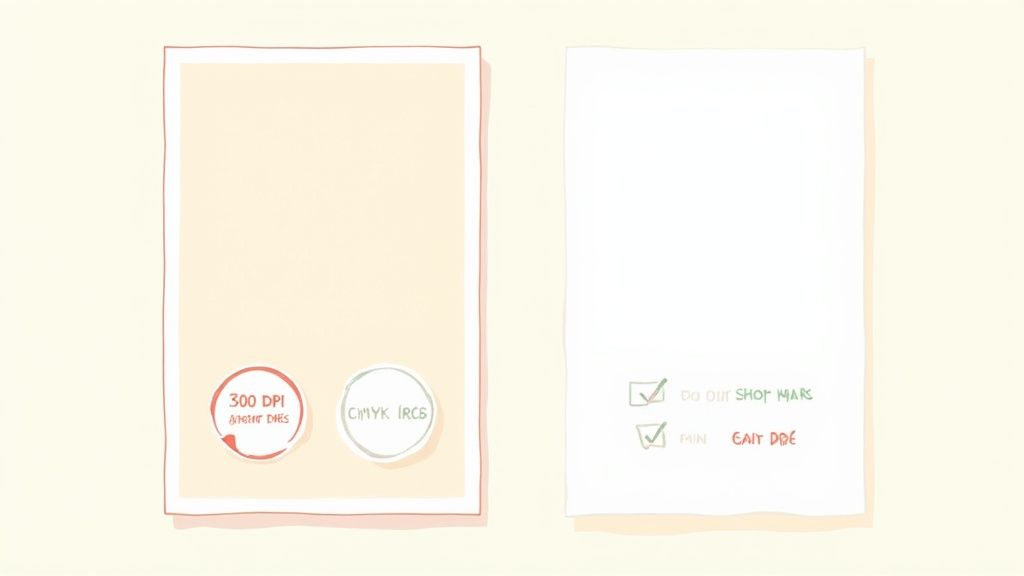
Think of it like giving your printer a perfect recipe. If you provide clear instructions and the right ingredients, you get a perfect cake. But if the recipe is missing steps or uses the wrong measurements, the baker has to improvise, which rarely ends well for your wallet.
The Language of Colour: CMYK vs. RGB
Your computer screen and a printing press speak two completely different colour languages. Your screen uses RGB (Red, Green, Blue), which creates colour by adding light together. It’s perfect for digital displays but impossible to replicate with ink on paper.
Printers use CMYK (Cyan, Magenta, Yellow, Key/Black). This is what’s known as a subtractive colour model, working by mixing inks that absorb certain light waves and reflect others back to your eye—just like mixing paint. If you send an RGB file to print, the software has to guess how to convert it, and the colours can shift dramatically. That vibrant electric blue on your screen might turn into a dull, flat purple on the final poster.
To avoid disappointing colour shifts, always set your document's colour mode to CMYK right from the start of your design process. This way, what you see on screen is much closer to what you’ll get in print.
Image Quality: The 300 DPI Gold Standard
Ever seen a printed poster where the photos looked fuzzy, blocky, or just plain blurry? That’s almost always a resolution problem. Print resolution is measured in DPI (Dots Per Inch), which literally tells you how many tiny dots of ink the printer will place in every inch of paper.
For a website or an email, 72 DPI is absolutely fine. But for print, it’s far too low and will result in a poor-quality, unprofessional-looking finish. For sharp, crisp printing, the industry gold standard is 300 DPI.
- Below 150 DPI: Your images will almost certainly look pixelated and blurry. Avoid this at all costs.
- 150-300 DPI: This might be acceptable for massive posters that are only ever viewed from a distance, but it’s not ideal.
- 300 DPI: This is the magic number that guarantees your photos and graphics look sharp and clear, even up close.
Always start with the highest resolution images you can get your hands on. You can’t add quality that isn’t there in the first place, so a high-res file is non-negotiable.
Why Your Artwork Needs to Bleed
In printing, ‘bleed’ is a small, extra margin of your design that extends beyond the final trim edge of the poster. Let’s say you’ve designed a poster with a solid blue background that goes right to the very edge. Without bleed, when the printer’s cutting machine trims the poster to size, even a tiny shift less than a millimetre could leave an unsightly white sliver along one side.
To prevent this, you simply extend your background colour or image out past the trim line, usually by 3mm on all sides. This extra area is the bleed. The guillotine then cuts inside this bleed area, ensuring your design goes perfectly to the edge of the paper every single time.
Here's your final print-ready file checklist:
- File Format: Save your final design as a high-quality PDF.
- Colour Mode: Make sure the whole document is set to CMYK.
- Resolution: All images and graphics must be at 300 DPI.
- Bleed: Add a 3mm bleed on all sides of your artwork.
- Proofread: Give all your text one last check for spelling and grammar!
Following these simple steps will make you a printer's favourite customer and wipe out the risk of those annoying extra charges. For a full breakdown of our file requirements, feel free to review our artwork supply Terms and Conditions before placing your order.
Smart Ways to Save on Your Poster Printing
Beyond picking the right paper or prepping your files, a few savvy moves can really drive down the cost of your poster printing. These are the tricks of the trade that experienced print buyers use to get the best possible value without ever cutting corners on quality.
It’s all about working with the printing process, not against it. A little forward-thinking turns a standard order into a seriously budget-friendly one.
Embrace Economies of Scale
One of the most powerful ways to save money is to order in bulk. Think of it like baking biscuits. The biggest faff is getting the ingredients out, mixing the dough, and heating the oven. Once that’s done, making one dozen or three dozen takes almost the same amount of setup time.
Poster printing follows the exact same principle, known as 'economies of scale'. The initial cost to set up the press and prepare your artwork is the same whether you print 10 posters or 500. When you place a larger order, that fixed setup cost gets spread thin across more posters, making the price per poster plummet. If you know you'll need posters for a few events or locations down the line, bunching them into one big order is the single best thing you can do for your budget.
Plan Ahead and Skip the Rush Fees
In the world of print, speed costs money. Simple as that. Asking for an express or next-day turnaround often means the printer has to hit pause on their scheduled jobs, rejig the machines, and push your order to the front of the queue. That disruption comes with a premium.
One of the easiest wins is to just plan ahead. If you can allow for a standard turnaround time (usually 3-5 working days), your job slots neatly into the printer's existing workflow. This efficiency means lower costs for them, and those savings are passed straight on to you. A bit of patience is a surprisingly effective budgeting tool.
By avoiding rush fees, you can often save 15-25% on your order total. It's a significant saving for nothing more than good planning, making it a cornerstone of achieving genuinely cheap poster printing.
Stick with Standard A-Series Sizes
We’ve mentioned this before, but it’s so crucial for your wallet that it’s worth repeating. Unless you have a very specific, creative reason not to, always default to standard UK paper sizes like A3, A2, A1, or A0. Printers buy paper in enormous rolls and sheets designed to be cut down to these exact dimensions with virtually no waste.
When you ask for a custom size, you’re forcing a non-standard cut. That almost always creates offcuts and wasted paper, and you end up paying for both the wasted material and the extra time it takes to trim it. Sticking to A-series sizes is a simple, smart choice that keeps your project running on the most efficient and cost-effective rails. This logic applies to other print, too; check out our guide on deciding between flyers or leaflets for more on that: https://theprintwarehouse.uk/blog/how-to-decide-between-flyers-or-leaflets.
Modern digital printing has been a game-changer, making high-quality printing more accessible than ever. With nearly 1,900 businesses in the UK specialising in this area, the efficiency of digital methods is a huge reason why affordable posters are so readily available. To stretch your marketing budget even further, it’s worth exploring other low cost and no cost marketing ideas alongside your print campaigns.
Frequently Asked Questions About Affordable Poster Printing
Getting into the world of print can throw up a few questions, especially when you're trying to keep costs down. We’ve pulled together the most common queries we get about cheap poster printing in the UK to give you clear, straight-up answers. This way, you can make quick, confident decisions for your next project.
What Is the Cheapest Way to Print a Poster?
To get the absolute rock-bottom price, you need to combine a few smart choices. First, stick to a standard size like A3 and go for a lighter paper weight, such as 130gsm silk. This pairing uses the most common and efficiently run materials, which brings the cost right down for you.
On top of that, always choose a standard, non-express delivery time. And finally, make sure your artwork is 100% print-ready before you upload it. This helps you dodge any extra setup fees that printers might charge to fix files, making sure the price you're quoted is the price you pay.
Does Ordering More Posters Make Them Cheaper?
Yes, absolutely. In fact, it makes them significantly cheaper per poster. The biggest single cost in any professional print job is the initial setup of the machinery. This is a fixed cost, whether you’re printing just 10 posters or 200.
When you order a larger quantity, that one-off setup cost gets spread across more items. This dramatically lowers the price you pay for each individual poster. It's a principle called 'economies of scale', and it's the single most effective way to slash your per-poster spend.
Which File Format Should I Use for Printing?
A high-resolution PDF is always the best and safest bet. It's become the industry standard for a very good reason: it bundles all your design elements—fonts, images, colours, and layout—into one reliable file. This ensures that what you see on your screen is exactly what gets printed.
For the best results, remember to save your PDF in CMYK colour mode and make sure every image inside it is at 300 DPI. This guarantees crisp text and vibrant, accurate colours on the finished product.
Is It Possible to Print Just One Poster Cheaply?
Definitely. Modern digital printing has made ordering single, one-off posters incredibly affordable. While the cost for a single poster will naturally be higher than the per-item price of a big bulk order, you can still keep it low.
Just stick to the same budget-friendly principles: choose a standard size like A2 or A3, opt for a common paper stock, and avoid express shipping. Look for online printers who specialise in short runs, as their whole process is geared towards making these kinds of jobs cost-effective.
Ready to put these tips into action? At The Print Warehouse Ltd, we make it easy to get high-quality, affordable posters for any occasion. Start your order today!
Share with Friends & Family:
Related Blogs:
Featured Products:

